Hazard management system
See every hazard. Close every one.
Anyone on the floor reports a hazard from their phone in under a minute. Your safety team rates it, assigns the fix and closes it, with the photos, owners, dates and signatures to prove it.
Now in beta. Use code HAZLOG_BETA at sign-up, no card needed.
See it in action
From the shop floor to sign-off
1 min 50 s, with narration. Short vertical version for phones.
A stop-work call, start to finish
Turbine rotor lift
A safety observer stops an unsafe lift, reports it from the phone, and the safety lead sets the controls before anyone lifts again.
2 min 37 s, dramatized scenario. Watch on YouTube.
The problem
Hazards get reported. Then they get lost.
Notebooks, inboxes and spreadsheets. No owner, no due date, and no proof when the auditor asks. HazLog keeps every hazard on one record until it's closed.
Report
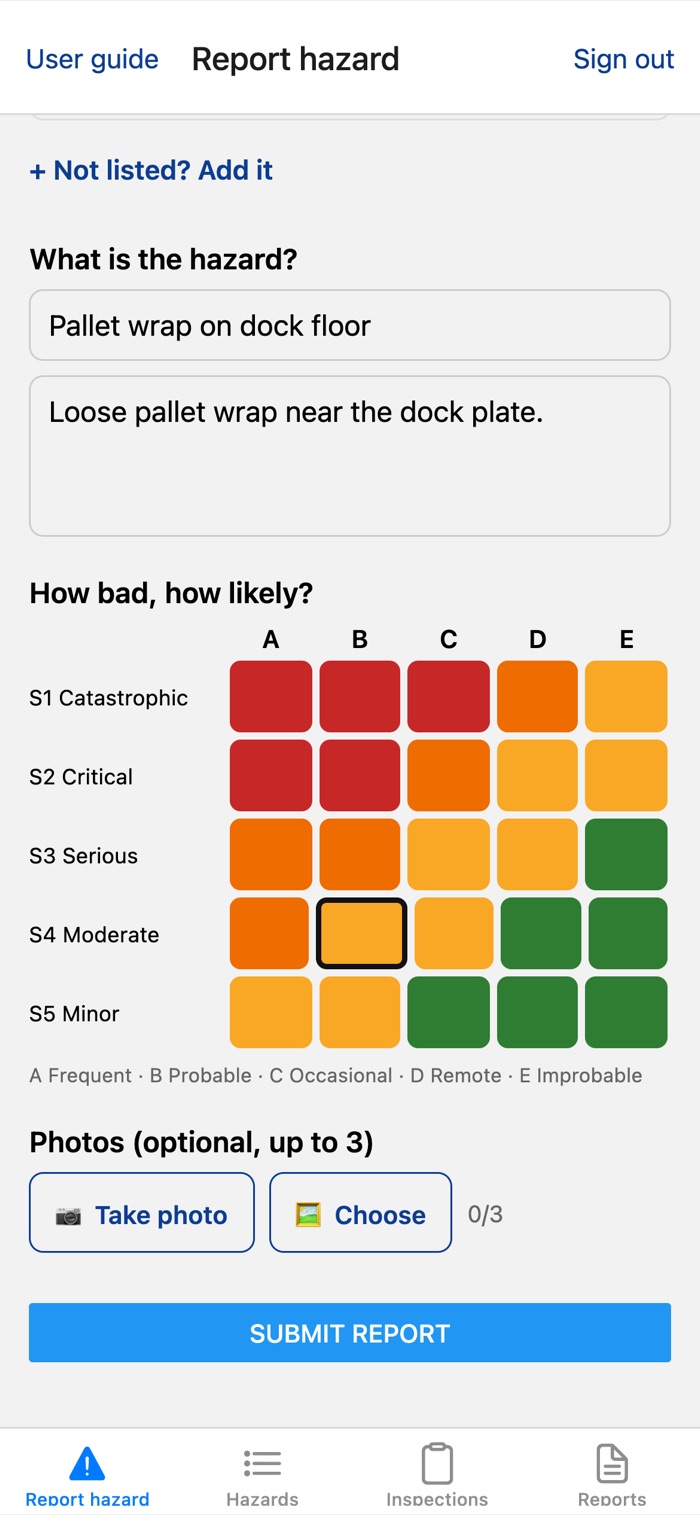
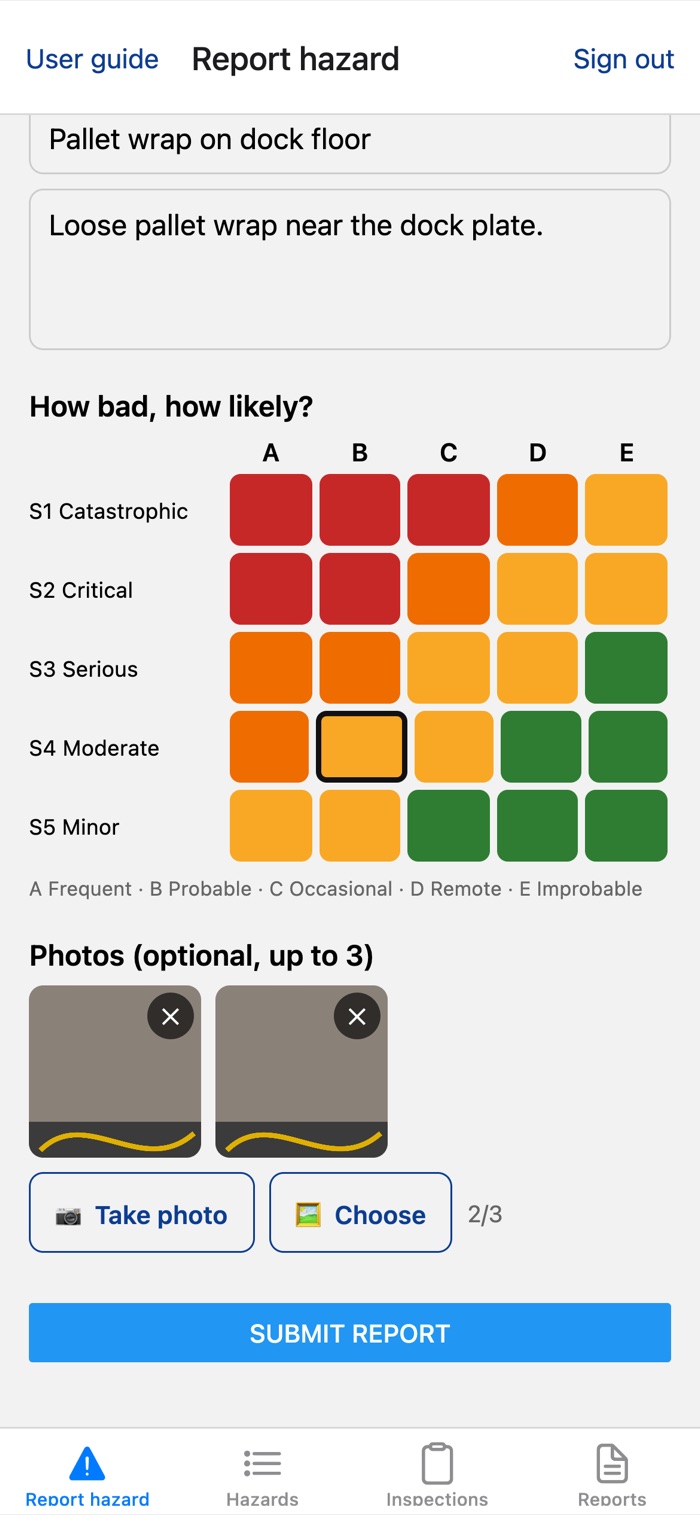
Pick the place or use GPS, say what you saw, tap the risk and add up to three photos. No signal? It sends when you're back online.
Control
The safety team reviews it, assigns fixes with an owner, a due date and a status, and re-rates the risk once controls are in place.
Prove it
Close it with a reason. The history, photos and signatures stay on the record, ready for reports, reviews and audits.
Features
Everything a safety team needs, nothing it doesn't
A phone app built for the floor
Reporting takes less than a minute, so people actually do it.
- Search for the place, use GPS, or add a new one on the spot
- One shared, colour-coded risk matrix
- Up to three photos per report, resized on the phone
- Saves offline and sends when there's signal
One register, every site
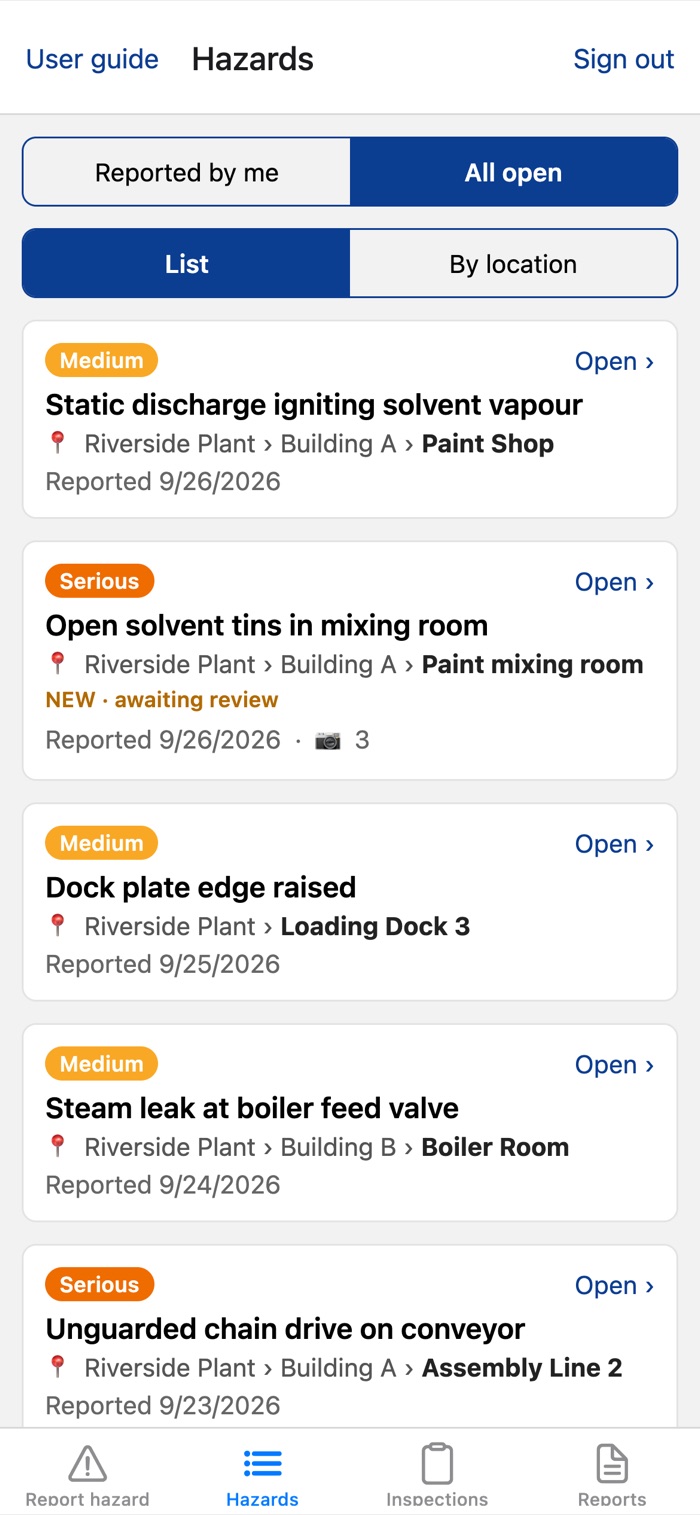
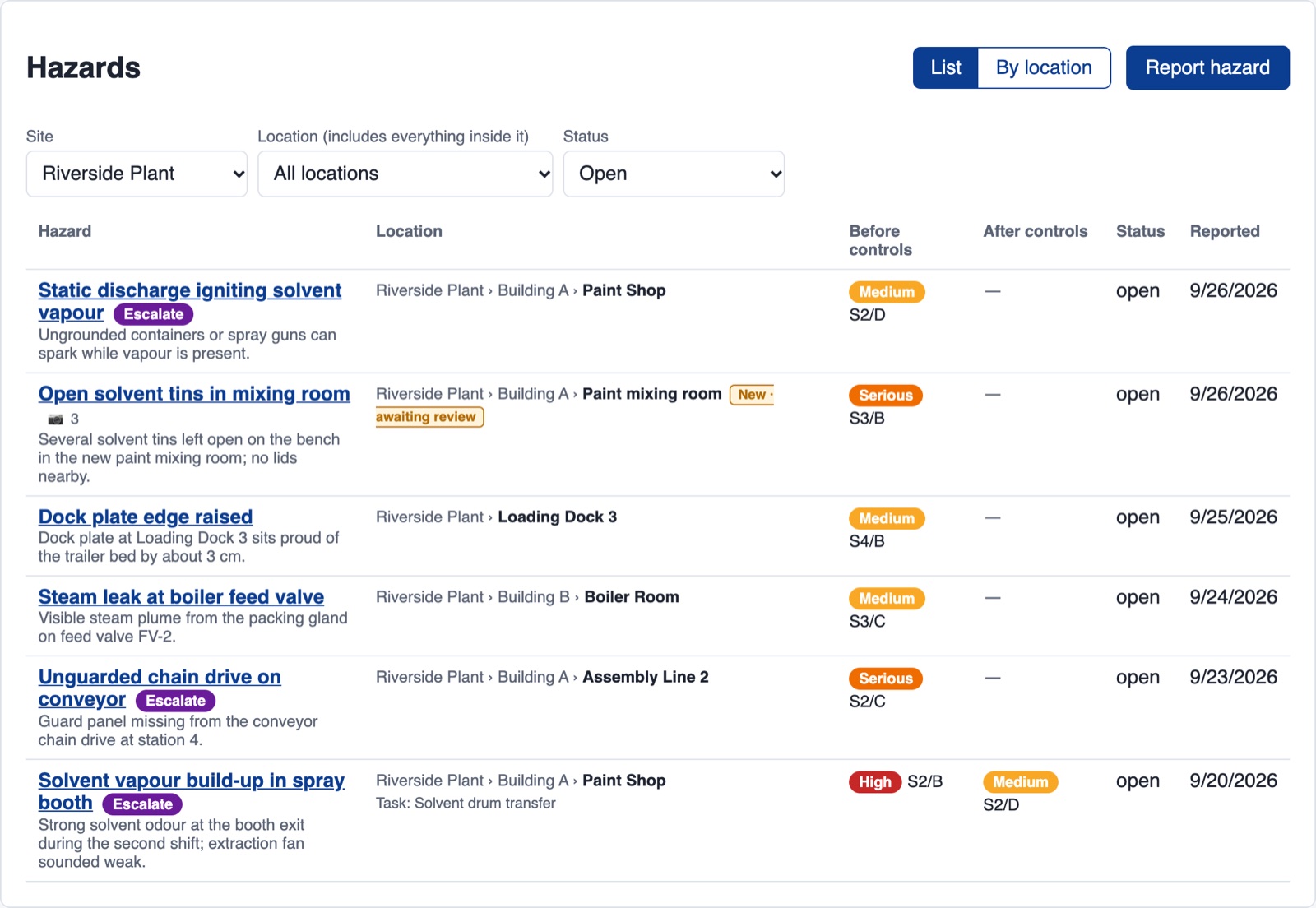
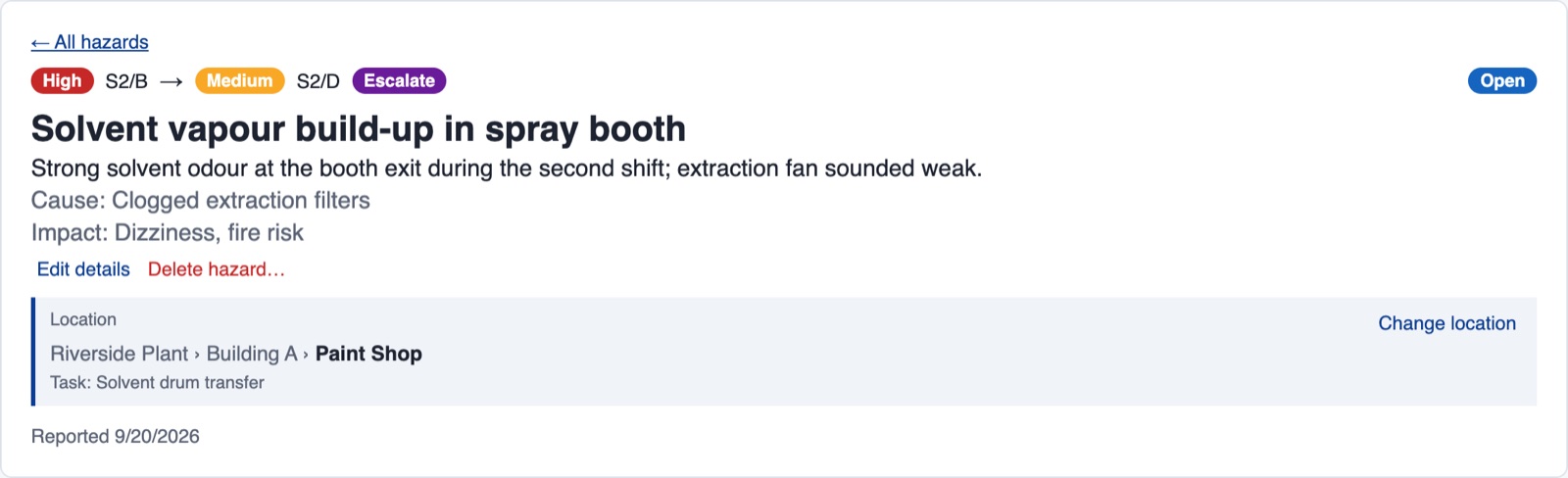
Every open hazard by site and location, with its risk before and after controls.
- Filter by site, location or status, or browse by location
- New reports wait for review before they count
- Escalation flags for risks that need a higher sign-off
Controls that get done
Each fix has a type, an owner, a due date and a status. Nothing closes until the work is done.
- Hierarchy of controls, from elimination to PPE
- Re-rate the risk after controls
- Photos, history and comments on one record
Inspections on a schedule
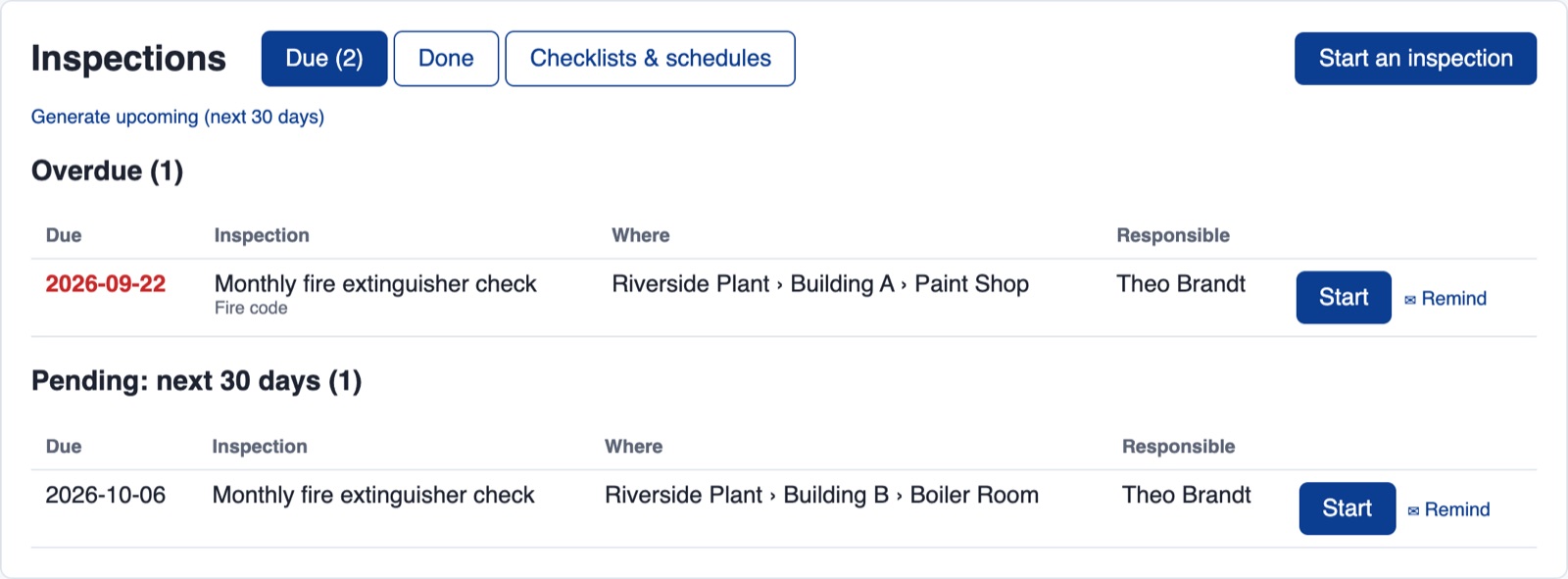
Checklists, reminders and overdue lists. A failed check becomes a hazard in one tap.
- Weekly, monthly or custom schedules per location
- Do inspections on the phone, even offline
- Overdue inspections are easy to spot
And more
Built to run a whole safety program
Signed analyses
Hazard analyses and job hazard analyses with comments, approvals and e-signatures.
Reports for anyone
Site hazard reports with photo thumbnails. Print them, save as PDF or email them.
Your whole team
Unlimited users. Invite people by email, with roles for workers, approvers and admins.
Single sign-on
Let people sign in with your company account through OpenID Connect.
Your data, kept apart
Every organization's data is separated inside the database itself, and every change is recorded.
Many sites
Sites, buildings, areas and equipment in one tree, so every hazard has a precise place.
FAQ
Questions people ask
How do I join the beta?
Go to app.hazlog247.com/signup, enter your organization's name, your name and work email, and the code HAZLOG_BETA. We'll email you a link to finish setting up. No card is needed.
Does it work without a signal?
Yes. Reports and inspections done on the phone are saved on the device and sent automatically when it's back online, photos included.
Where are the phone apps?
The iPhone and Android apps are available to beta testers now. Once your organization is set up, ask us for an invitation. Everything also works in a phone's web browser.
Who can see our data?
Only people in your organization. Each organization's data is kept separate inside the database itself, and changes are recorded so you can see who did what.
Is there a user guide?
Yes, a full illustrated guide for workers, safety staff and admins. Download the user guide (PDF).